
Rail UV helps you create flat and evenly distributed UVs for objects such as tubes, roads, paths, etc.
it is a great help when you want to animate textures along UV or when using tile textures.
Using Rail UV is quite simple, just select an edge loop that goes across your model (where you want the UV seam to be) and then run Rail UV
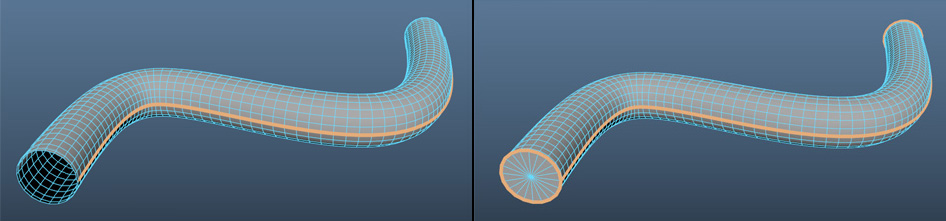
If your object has an open start and end, you can just select a loop along its length.
However, if your object has a closed cap, you should also select edges around the start and end of the object.