
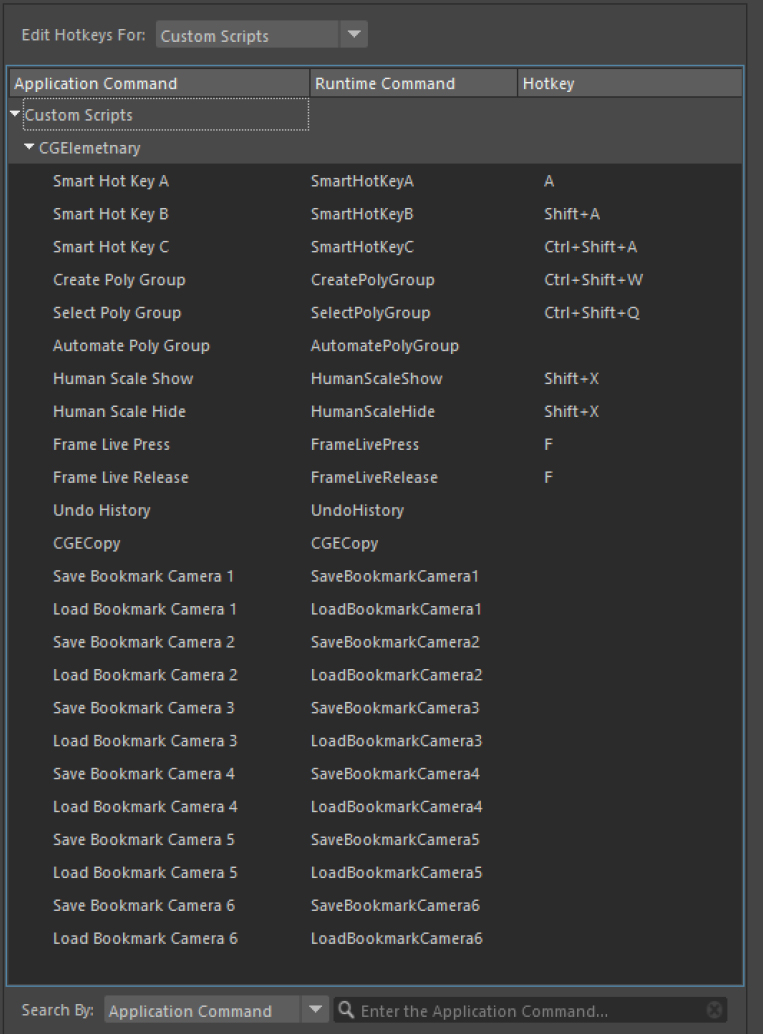
Maya X comes with a set of special Hotkeys.
one of the most important ones are smart hotkeys.
SmartHotkeys
Smart hotkeys are made to do most of the common tasks with a single hotkey.
Smart hotkeys are sensitive to your selection.
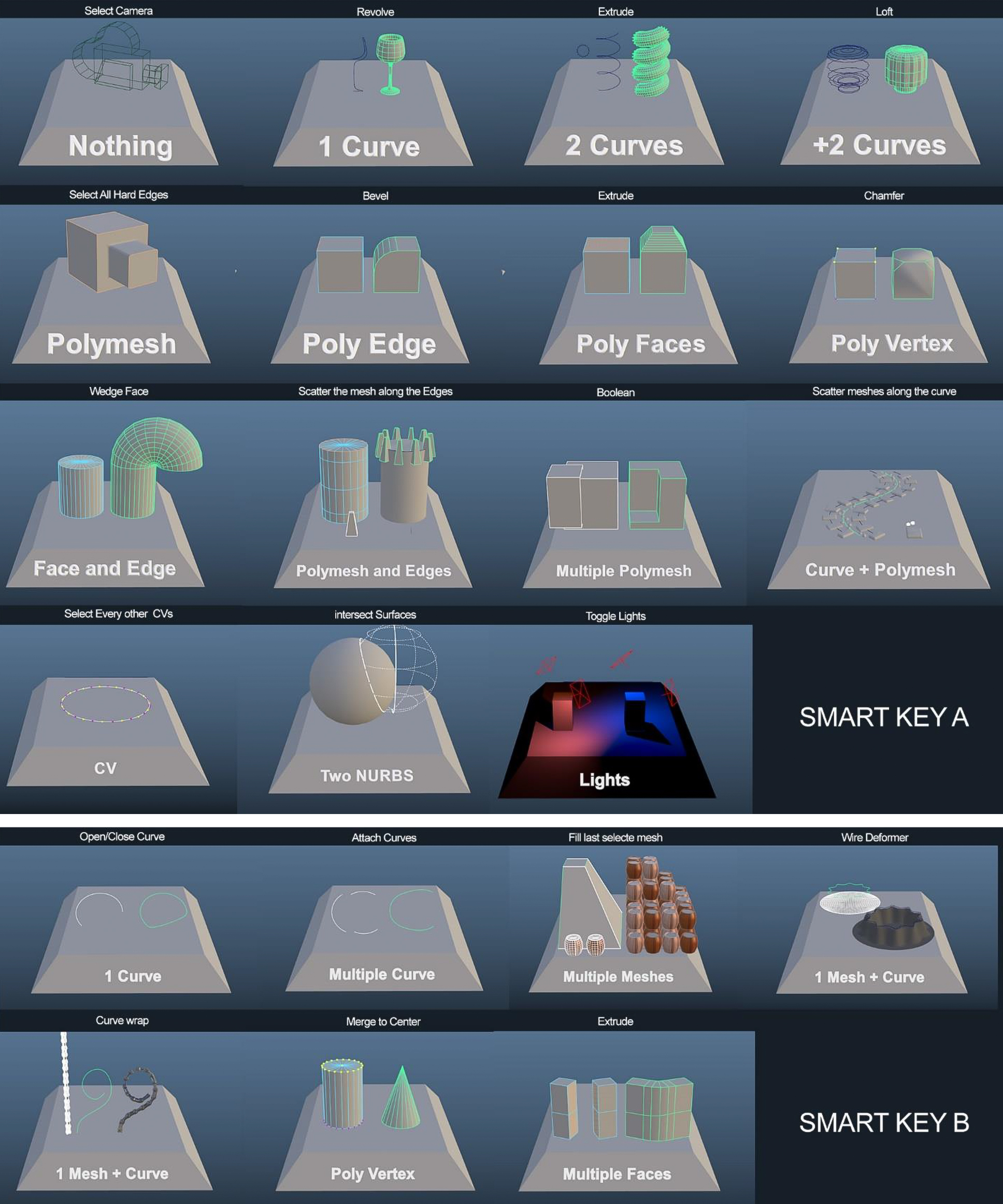
Smart Hotkey A: Made to handle the most common tasks
| Nothing Selected | Select Active Camera |
| Single Curve | Revolve Curve. |
| Two Curves | Extrude |
| More rhan two Curves | Loft |
| Curve CVs | Select Every Other CV |
| Single Poly Mesh | Select all hard edges |
| Multiple Poly Mesh | Live Boolean |
| Poly Mesh + Curve | Scatter objects over the curve |
| Poly Vertex | ChamferVertex |
| Poly Edge | Bevel |
| A Curve + Poly Edges | Extrude along the edges |
| Poly Mesh + Poly Edges | Scatter objects over the edges |
| Face | Extrude |
| Faces + Edge | Wedge polygon |
| Two NURBS Surace | IntersectSurfaces |
| Lights | Toggle Light on/off |
Smart Hotkey C: Made to open different windows
| Curves | Rebuild Curve Option |
| Poly Meshes | UV Editor |
| Lights | Light Editor |
Smart Hotkey B: Made to handle the Secondary common tasks
| Single Curve | Open/Close Curve |
| More than two curves | Attach Curves |
| Single Poly Mesh | Select all hard edges |
| Multiple Poly Mesh | Fill the last selected Object with other selected Objects |
| 1 Poly Mesh + Curve | Wire deformer |
| Multiple Meshes + Curve | Curve Wrap |
| Poly Vertex | Merge to center |
| Poly Edge | Delete Entire Loop |
| Multiple Faces | Bridge |
Human Scale Hotkey
this hotkey will show a simple plane with a height of 200cm, it is made to be a quick way to compare your scene with semi human-scale object.
When setting hotkeys, you should set the “Human Scale Hide” hotkey to “On Release”.

Frame Live Hotkey
made to be a replacement for “F” Hotkey.
When you press “F” key the object will fit the view frame, and if you continue holding it that object will become live, and you can draw new primitives over it or snap other objects onto that surface, as soon as you release the F hotkey the live mode will turn off.
Important: this isn’t something related to MayaX but overall in Maya when you set a hotkey to press and release, you should always release the hotkey inside of Maya. So for example, if you hold “V” for snap to vertex and then instead of releasing it within Maya you click on the start menu and release the “V” key. The snap to vertex mode is now stuck on and didn’t get deactivated.
The same thing can happen to Human Scale and Frame Live Hotkey.